Complete Code Examples
Full code examples in 4 languages for all scenarios: Python, JavaScript, Go, REST API
Supported Languages
Each scenario provides complete implementations in four programming languages. Choose the one that fits your project needs.
Generation Code Examples
Photorealistic Scenes
Generate photorealistic images using photography terminology.
Code Example
from google import genai

client = genai.Client()

prompt = """
A photorealistic close-up portrait of an elderly Japanese ceramicist
with deep, sun-etched wrinkles and a warm, knowing smile.
He is carefully inspecting a freshly glazed tea bowl.
The setting is his rustic, sun-drenched workshop with pottery wheels
and shelves of clay pots in the background.
The scene is illuminated by soft, golden hour light streaming through a window,
highlighting the fine texture of the clay and the fabric of his apron.
Captured with an 85mm portrait lens, resulting in a soft, blurred background (bokeh).
The overall mood is serene and masterful.
"""

response = client.models.generate_content(
    model="gemini-2.5-flash-image",
    contents=prompt,
)

for part in response.parts:
    if image := part.as_image():
        image.save("photorealistic_example.png")
        print("Image saved!")
Example Output
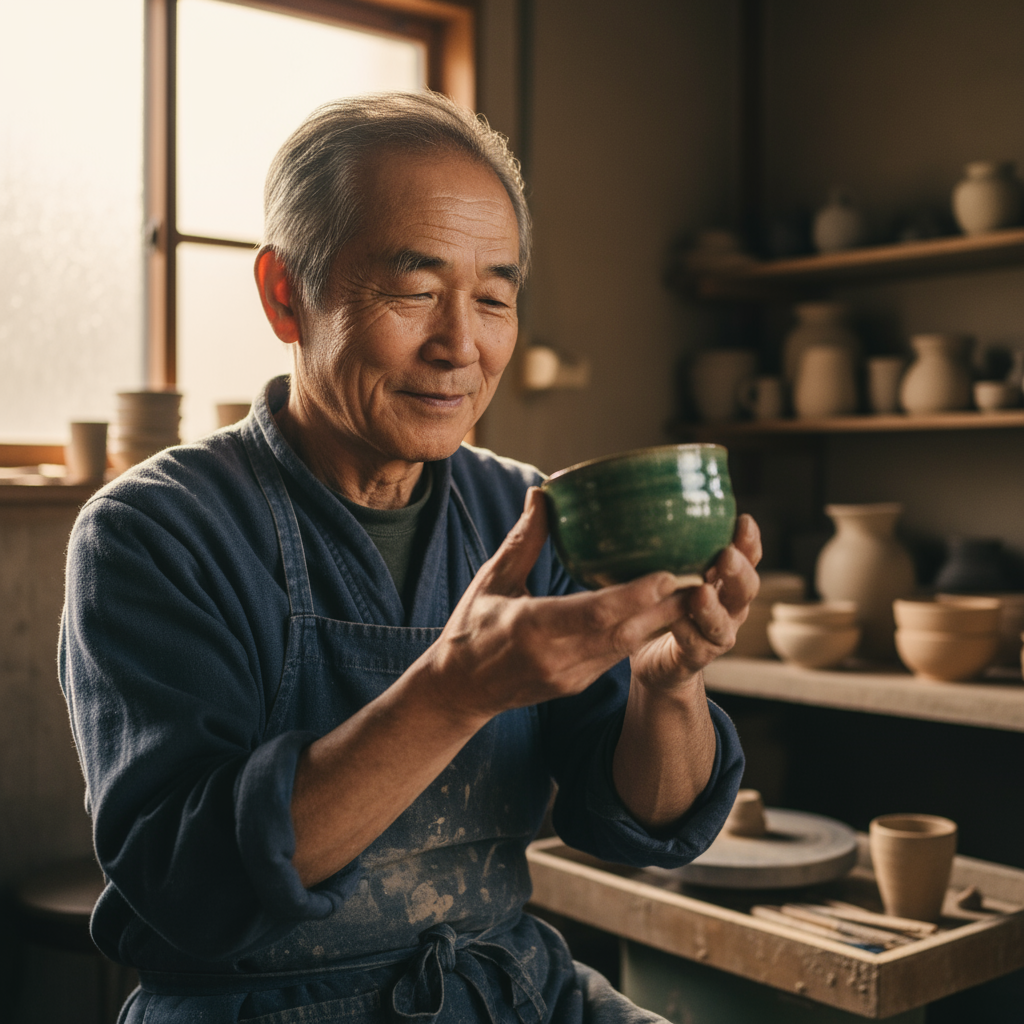
AI-generated photorealistic portrait of Japanese ceramicist
Stylized Illustrations
创建贴纸、图标或素材,明确说明风格并要求特定背景。
Code Example
from google import genai

client = genai.Client()

response = client.models.generate_content(
    model="gemini-2.5-flash-image",
    contents="""
    A kawaii-style sticker of a happy red panda wearing a tiny bamboo hat.
    It's munching on a green bamboo leaf.
    The design features bold, clean outlines, simple cel-shading,
    and a vibrant color palette. The background must be white.
    """,
)

for part in response.parts:
    if image := part.as_image():
        image.save("red_panda_sticker.png")
Example Output

AI-generated kawaii red panda sticker
Text Rendering
Gemini 在呈现文本方面表现出色。清楚说明文字、字体风格和整体设计。
Code Example
from google import genai

client = genai.Client()

response = client.models.generate_content(
    model="gemini-2.5-flash-image",
    contents="""
    Create a modern, minimalist logo for a coffee shop called 'The Daily Grind'.
    The text should be in a clean, bold, sans-serif font. The design should
    feature a simple, stylized icon of a coffee bean seamlessly integrated
    with the text. The color scheme is black and white.
    """,
)

for part in response.parts:
    if image := part.as_image():
        image.save("logo_example.png")
Example Output

AI-generated coffee shop logo with text rendering
Product Photography
为电子商务、广告或品牌宣传制作清晰专业的商品照片。
Code Example
from google import genai

client = genai.Client()

response = client.models.generate_content(
    model="gemini-2.5-flash-image",
    contents="""
    A high-resolution, studio-lit product photograph of a minimalist ceramic
    coffee mug in matte black, presented on a polished concrete surface. The
    lighting is a three-point softbox setup designed to create soft, diffused
    highlights and eliminate harsh shadows. The camera angle is a slightly
    elevated 45-degree shot to showcase its clean lines. Ultra-realistic, with
    sharp focus on the steam rising from the coffee. Square image.
    """,
)

for part in response.parts:
    if image := part.as_image():
        image.save("product_mockup.png")
Example Output
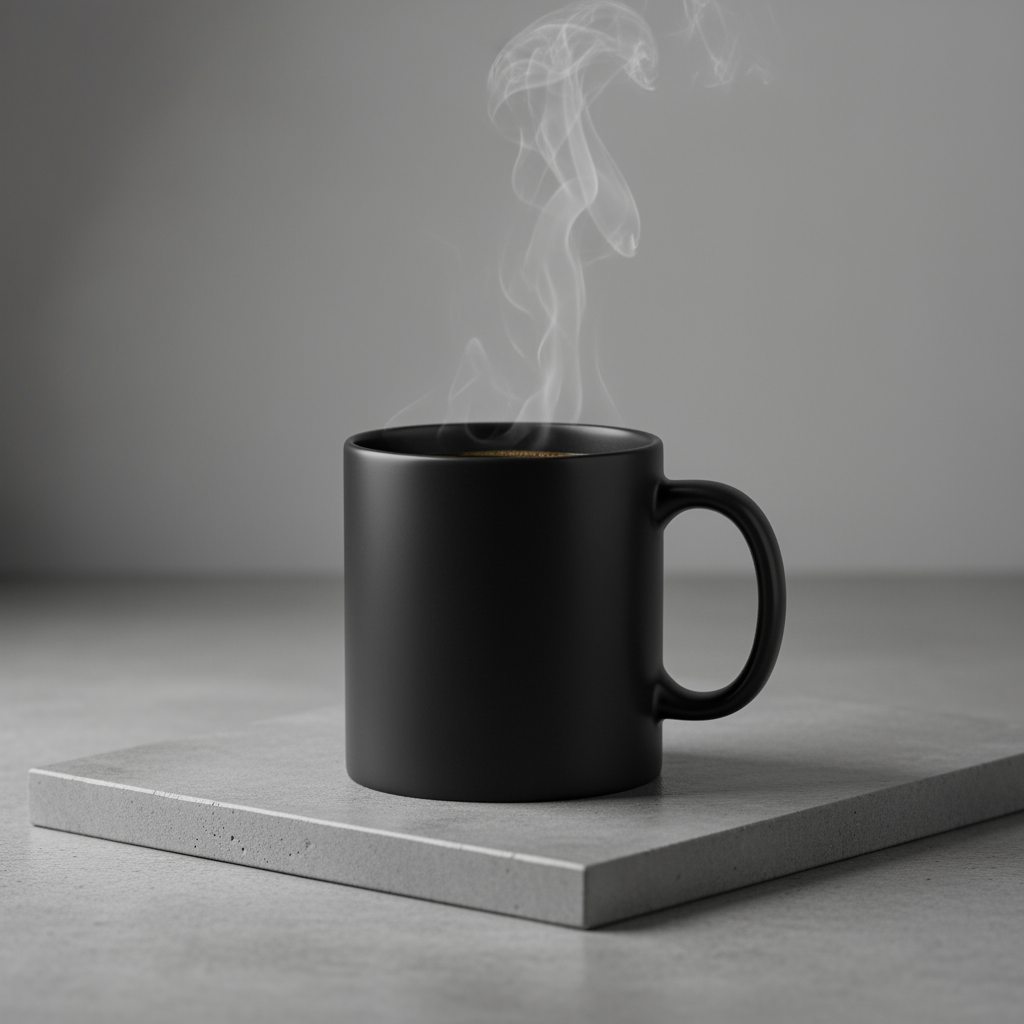
AI-generated product photography: matte black ceramic mug
Minimalist Design
适合用于创建网站、演示或营销材料的背景,以便在其中叠加文字。
Code Example
from google import genai

client = genai.Client()

response = client.models.generate_content(
    model="gemini-2.5-flash-image",
    contents="""
    A minimalist composition featuring a single, delicate red maple leaf
    positioned in the bottom-right of the frame. The background is a vast, empty
    off-white canvas, creating significant negative space for text. Soft,
    diffused lighting from the top left. Square image.
    """,
)

for part in response.parts:
    if image := part.as_image():
        image.save("minimalist_design.png")
Example Output
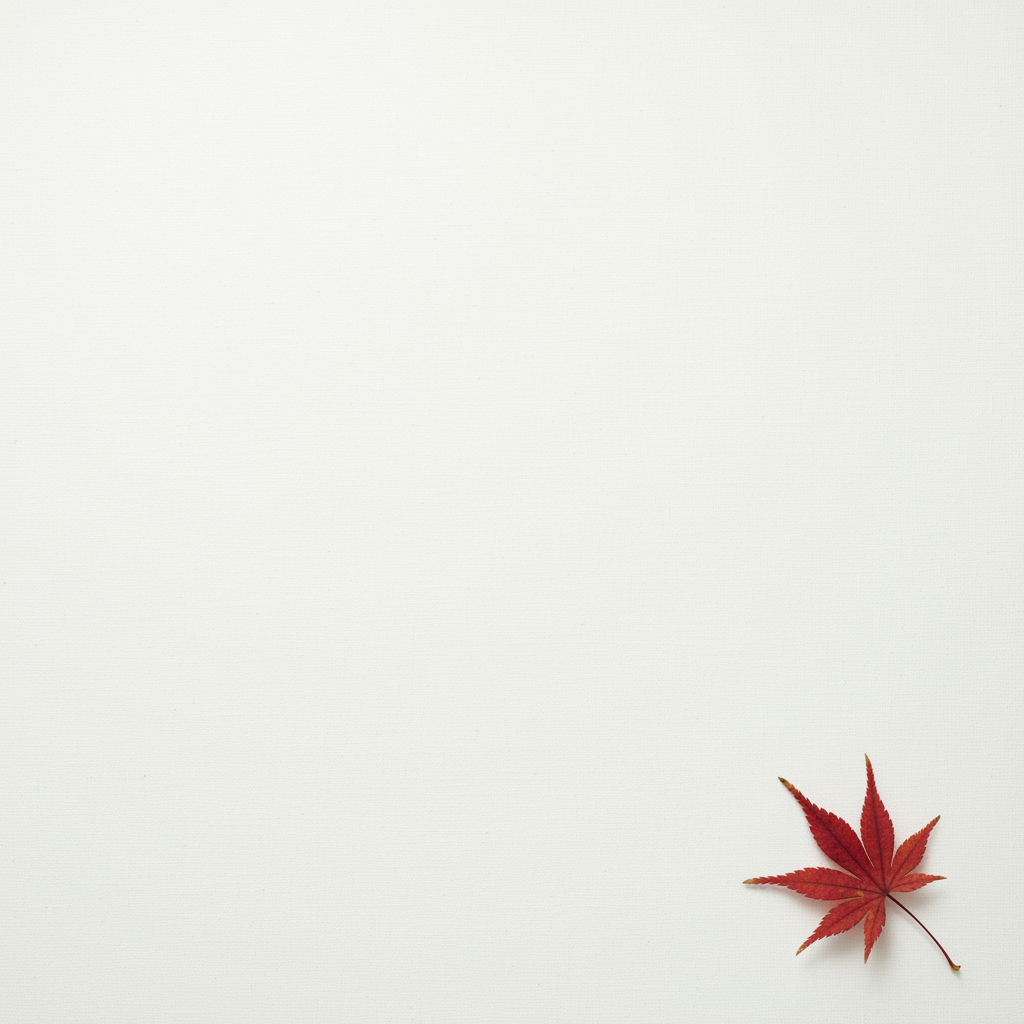
AI-generated minimalist design with negative space
Comic Panels
以角色一致性和场景描述为基础,为视觉故事讲述创建分格。
Code Example
from google import genai

client = genai.Client()

response = client.models.generate_content(
    model="gemini-2.5-flash-image",
    contents="""
    A single comic book panel in a gritty, noir art style with high-contrast
    black and white inks. In the foreground, a detective in a trench coat stands
    under a flickering streetlamp, rain soaking his shoulders. In the
    background, the neon sign of a desolate bar reflects in a puddle. A caption
    box at the top reads "The city was a tough place to keep secrets." The
    lighting is harsh, creating a dramatic, somber mood. Landscape.
    """,
)

for part in response.parts:
    if image := part.as_image():
        image.save("comic_panel.png")
Example Output
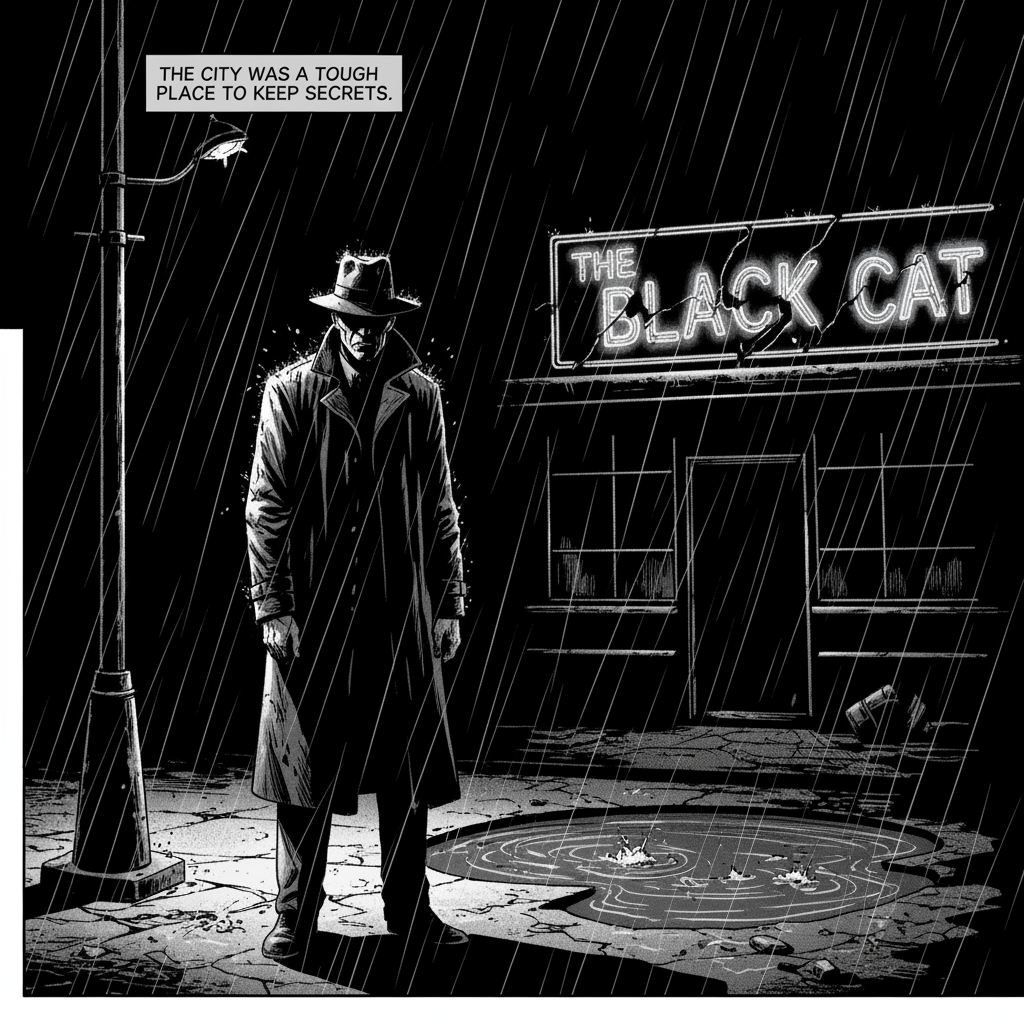
AI-generated noir style comic book panel
Modification Code Examples
Add & Remove Elements
提供图片并描述您的更改。模型将与原始图片的风格、光照和透视效果保持一致。
Code Example
from google import genai
from PIL import Image

client = genai.Client()

# Base image prompt: "A photorealistic picture of a fluffy ginger cat..."
image_input = Image.open('cat.png')
text_input = "Using the provided image of my cat, please add a small, knitted wizard hat on its head. Make it look like it's sitting comfortably and not falling off."

response = client.models.generate_content(
    model="gemini-2.5-flash-image",
    contents=[text_input, image_input],
)

for part in response.parts:
    if image := part.as_image():
        image.save("cat_with_hat.png")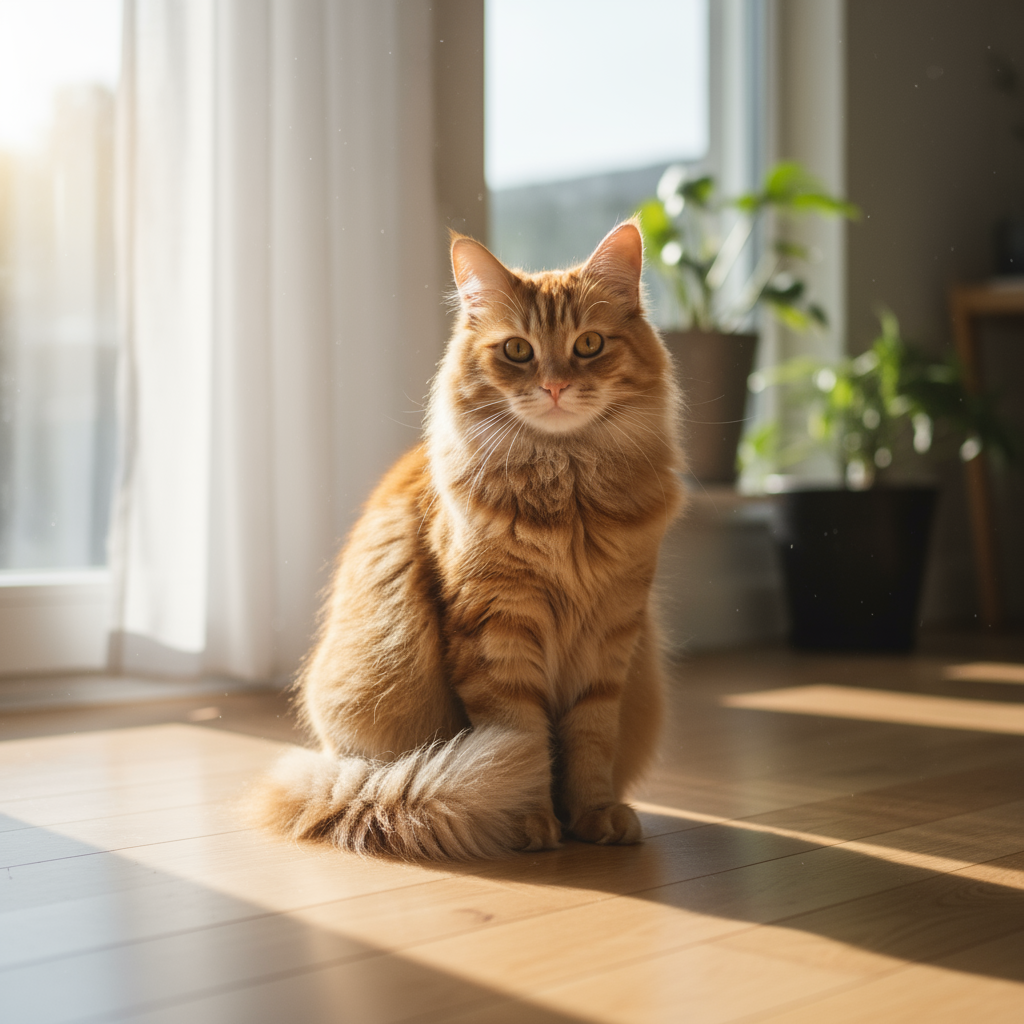
Original Image
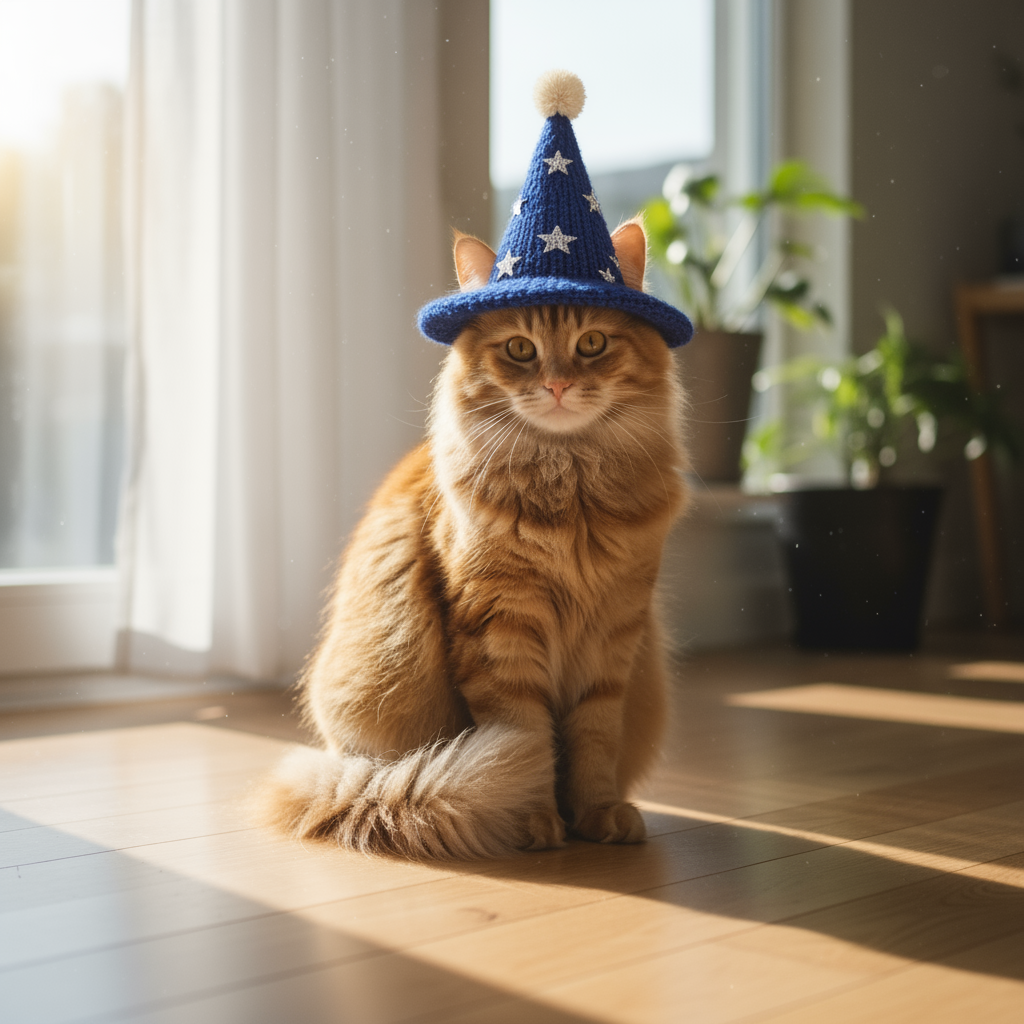
Modified: Added wizard hat
Inpainting
通过对话定义“蒙版”,以修改图片的特定部分,同时保持其余部分不变。
Code Example
from google import genai
from PIL import Image

client = genai.Client()

# Base image prompt: "A wide shot of a modern, well-lit living room..."
living_room_image = Image.open('living_room.png')
text_input = "Using the provided image of a living room, change only the blue sofa to be a vintage, brown leather chesterfield sofa. Keep the rest of the room, including the pillows on the sofa and the lighting, unchanged."

response = client.models.generate_content(
    model="gemini-2.5-flash-image",
    contents=[living_room_image, text_input],
)

for part in response.parts:
    if image := part.as_image():
        image.save("living_room_edited.png")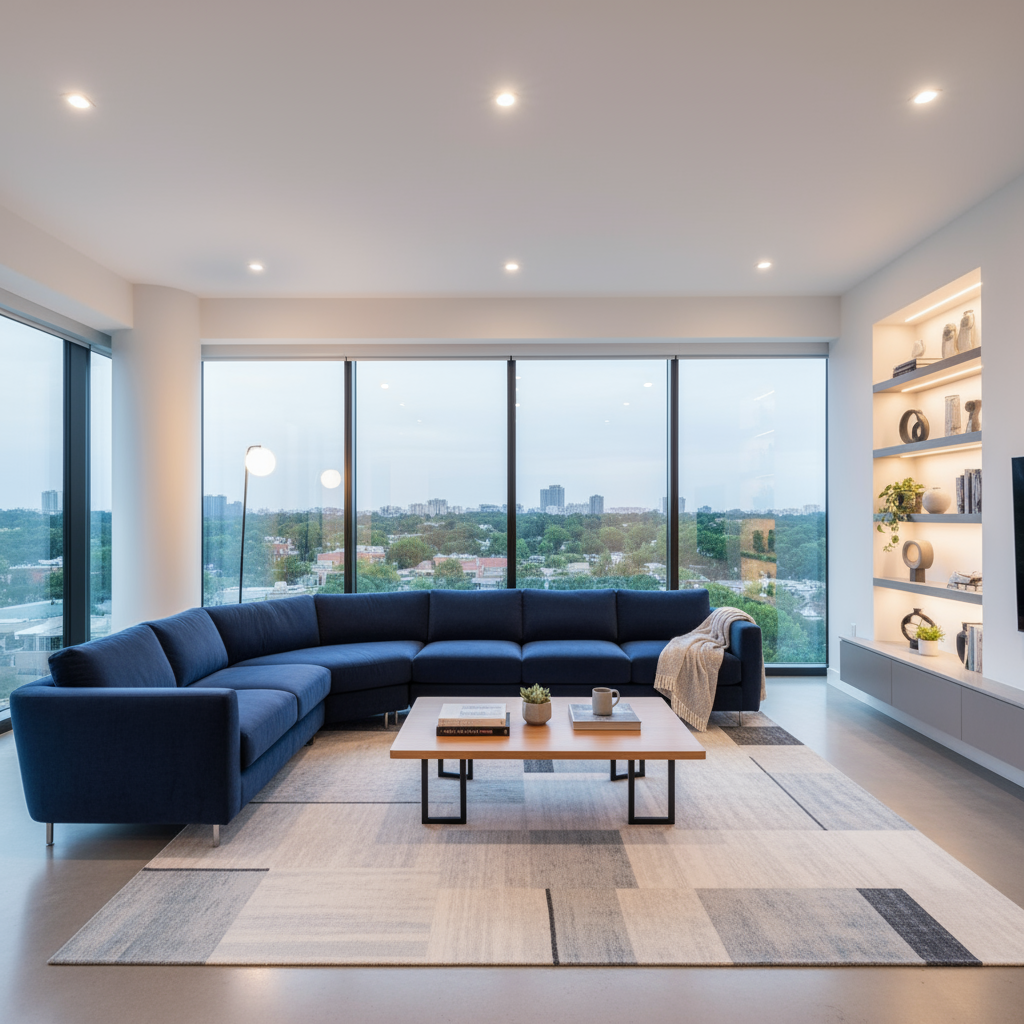
Original Image
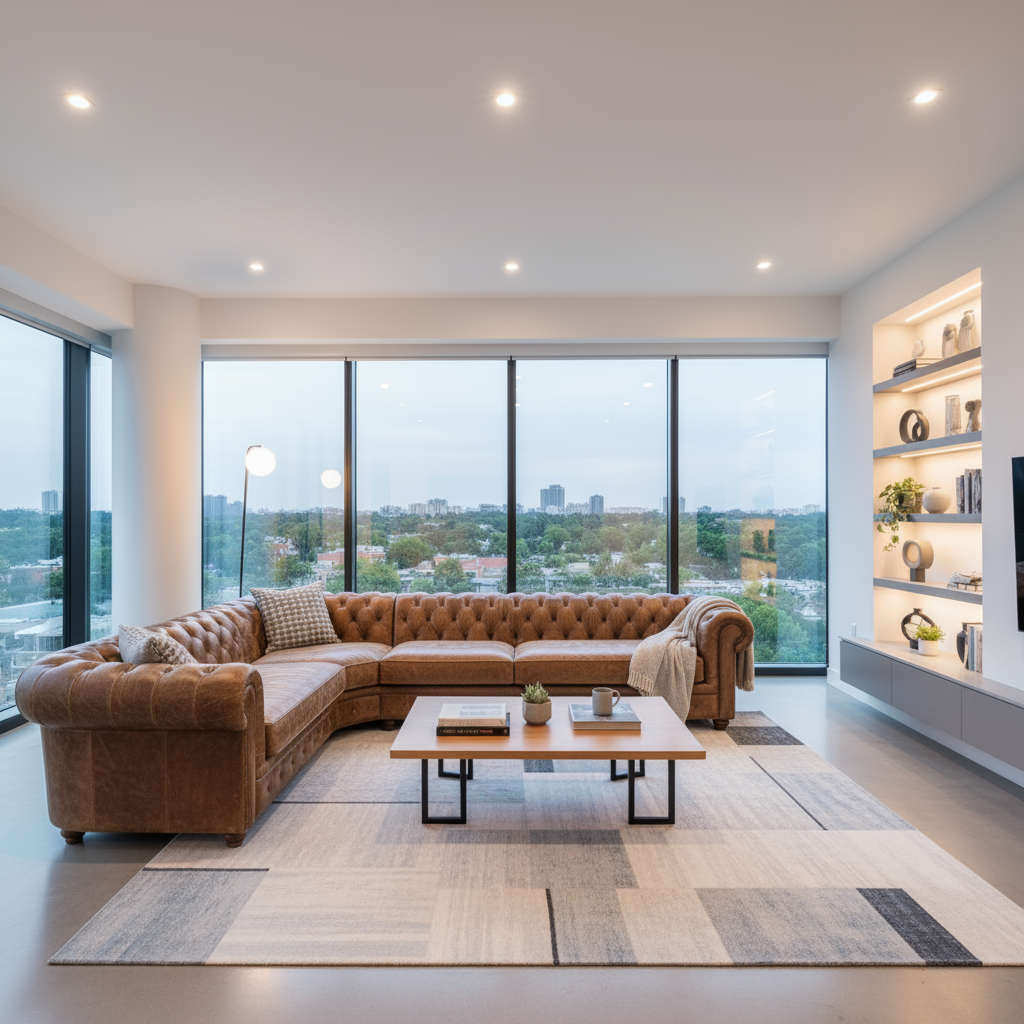
Modified: Inpainted living room
Style Transfer
提供一张图片,并让模型以不同的艺术风格重新创作其内容。
Code Example
from google import genai
from PIL import Image

client = genai.Client()

# Base image prompt: "A photorealistic, high-resolution photograph of a busy city street..."
city_image = Image.open('city.png')
text_input = """Transform the provided photograph of a modern city street at night into the artistic style of Vincent van Gogh's 'Starry Night'. Preserve the original composition of buildings and cars, but render all elements with swirling, impasto brushstrokes and a dramatic palette of deep blues and bright yellows."""

response = client.models.generate_content(
    model="gemini-2.5-flash-image",
    contents=[city_image, text_input],
)

for part in response.parts:
    if image := part.as_image():
        image.save("city_style_transfer.png")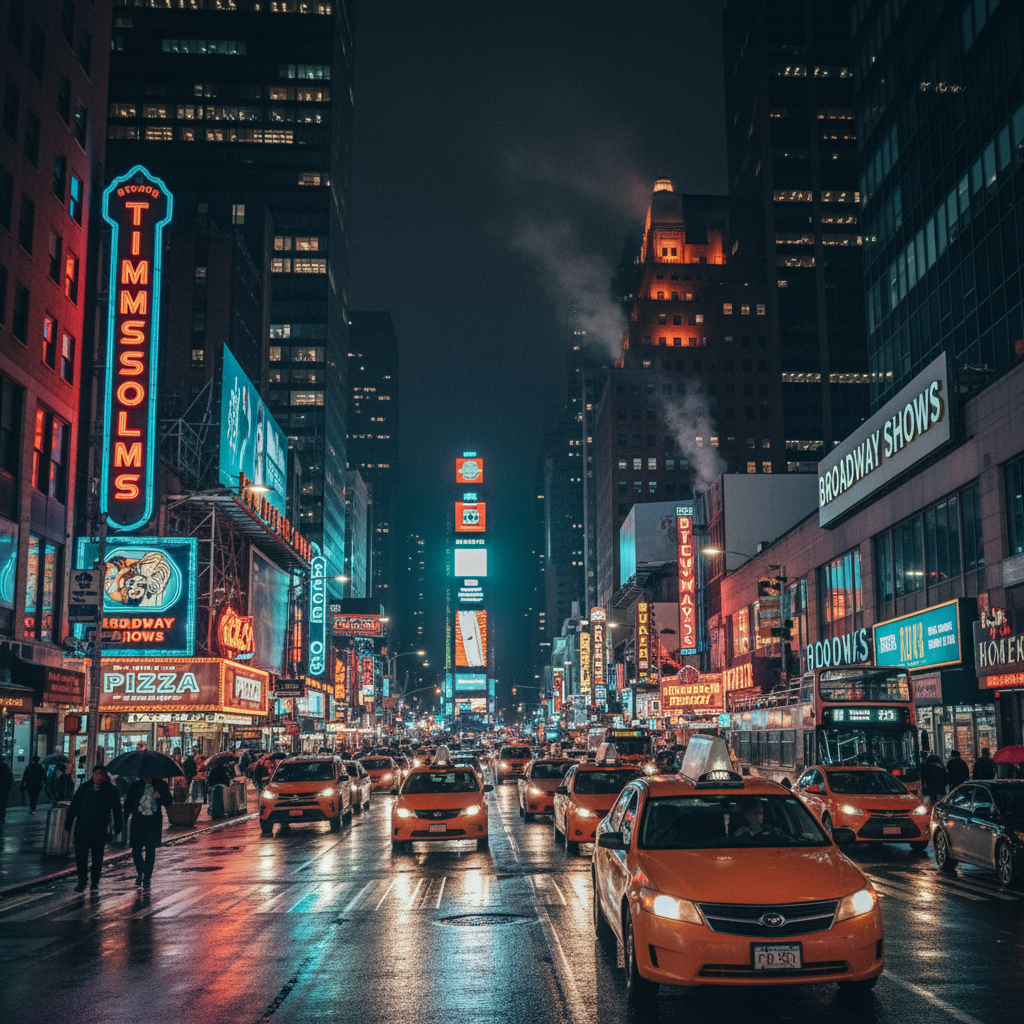
Original Image
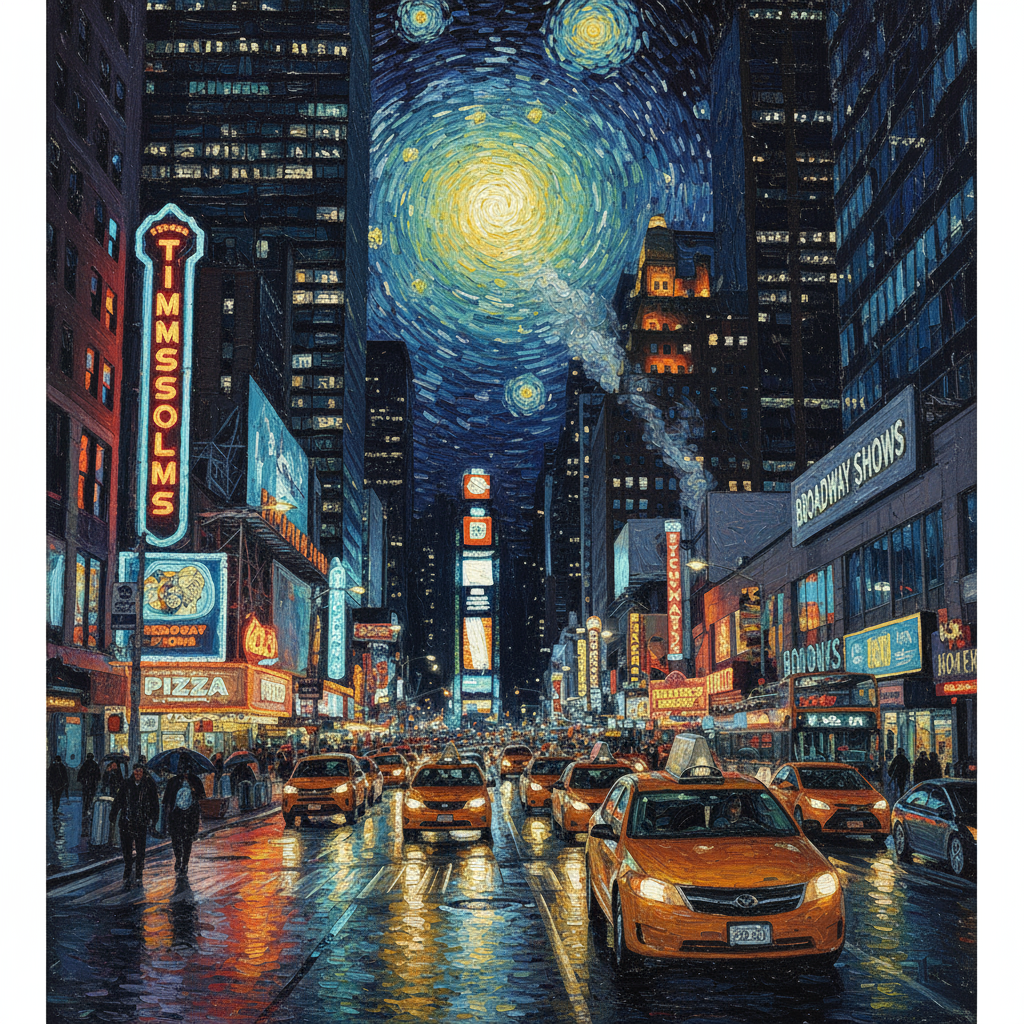
Modified: Van Gogh style
Advanced Composition
提供多张图片作为上下文,以创建新的合成场景。
Code Example
from google import genai
from PIL import Image

client = genai.Client()

dress_image = Image.open('dress.png')
model_image = Image.open('model.png')
text_input = "Create a professional e-commerce fashion photo. Take the blue floral dress from the first image and let the woman from the second image wear it. Generate a realistic, full-body shot of the woman wearing the dress, with the lighting and shadows adjusted to match the outdoor environment."

response = client.models.generate_content(
    model="gemini-2.5-flash-image",
    contents=[dress_image, model_image, text_input],
)

for part in response.parts:
    if image := part.as_image():
        image.save("fashion_ecommerce_shot.png")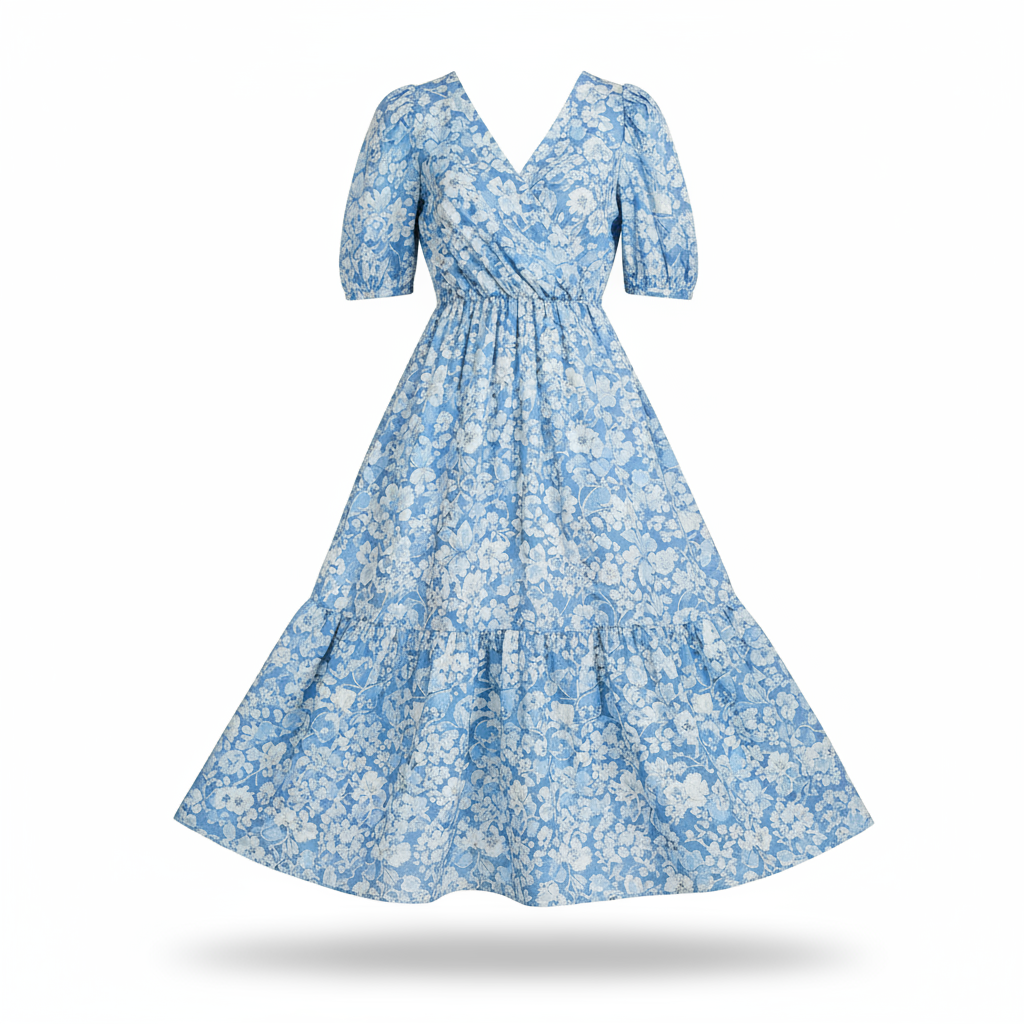
Input 1: Dress
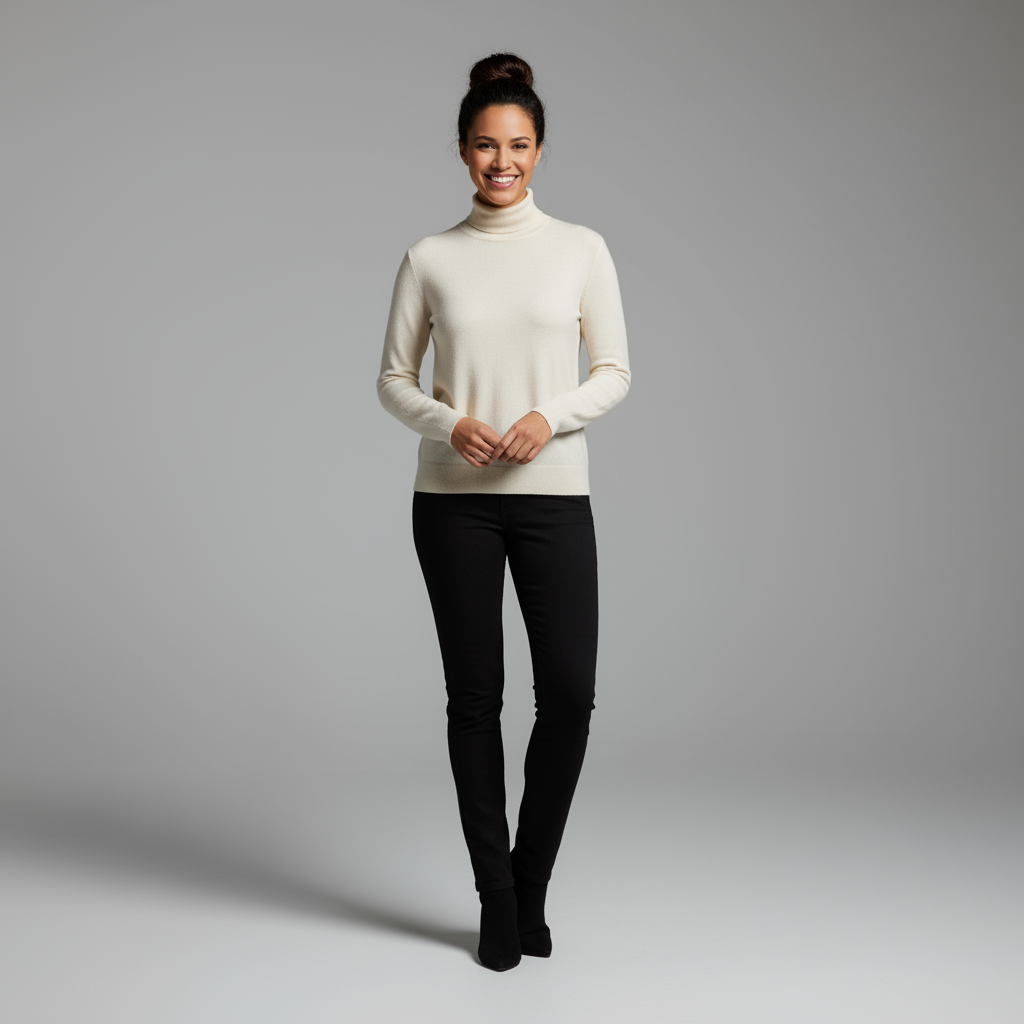
Input 2: Model
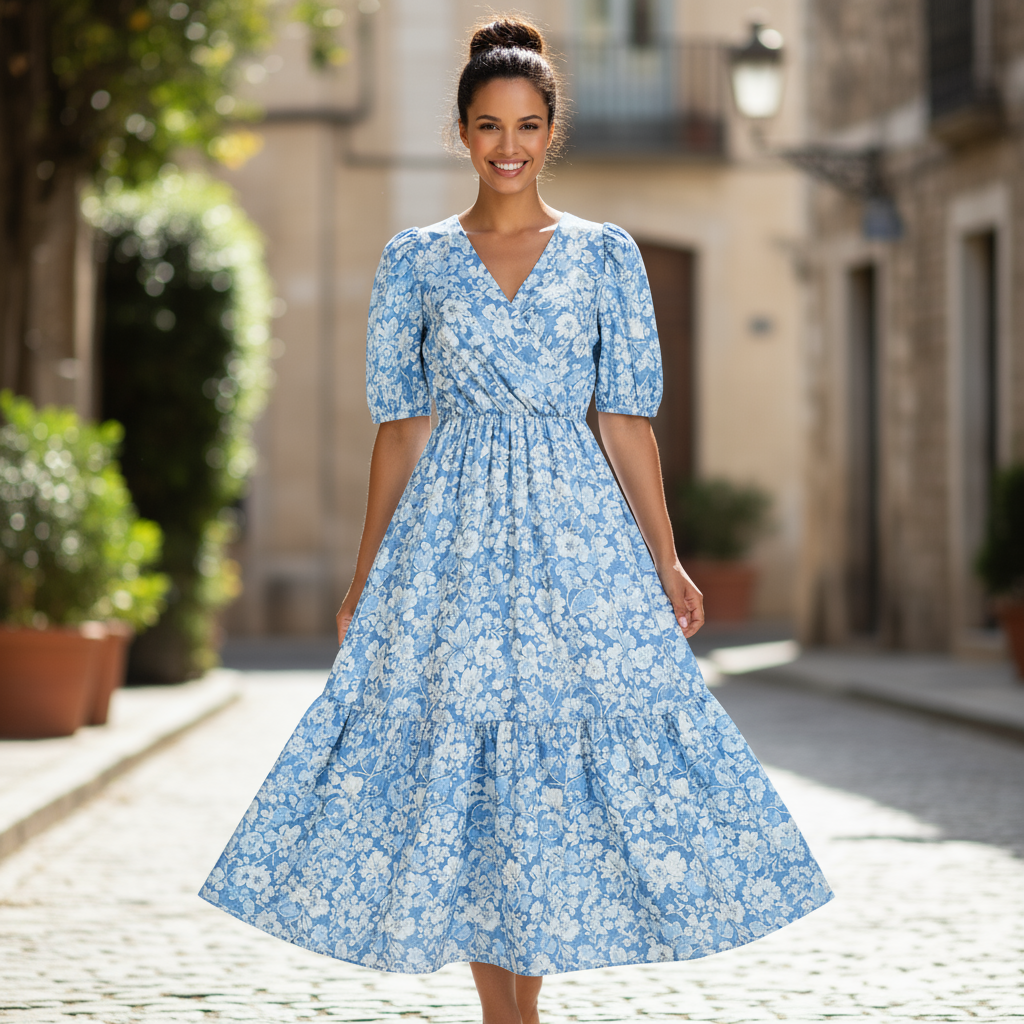
Modified: Composite result
High-Fidelity Editing
为确保在编辑过程中保留关键细节(例如面部或徽标),请在编辑请求中详细描述这些细节。
Code Example
from google import genai
from PIL import Image

client = genai.Client()

woman_image = Image.open('woman.png')
logo_image = Image.open('logo.png')
text_input = "Take the first image of the woman with brown hair, blue eyes, and a neutral expression. Add the logo from the second image onto her black t-shirt. Ensure the woman's face and features remain completely unchanged. The logo should look like it's naturally printed on the fabric, following the folds of the shirt."

response = client.models.generate_content(
    model="gemini-2.5-flash-image",
    contents=[woman_image, logo_image, text_input],
)

for part in response.parts:
    if image := part.as_image():
        image.save("woman_with_logo.png")
Input 1: Woman

Input 2: Logo
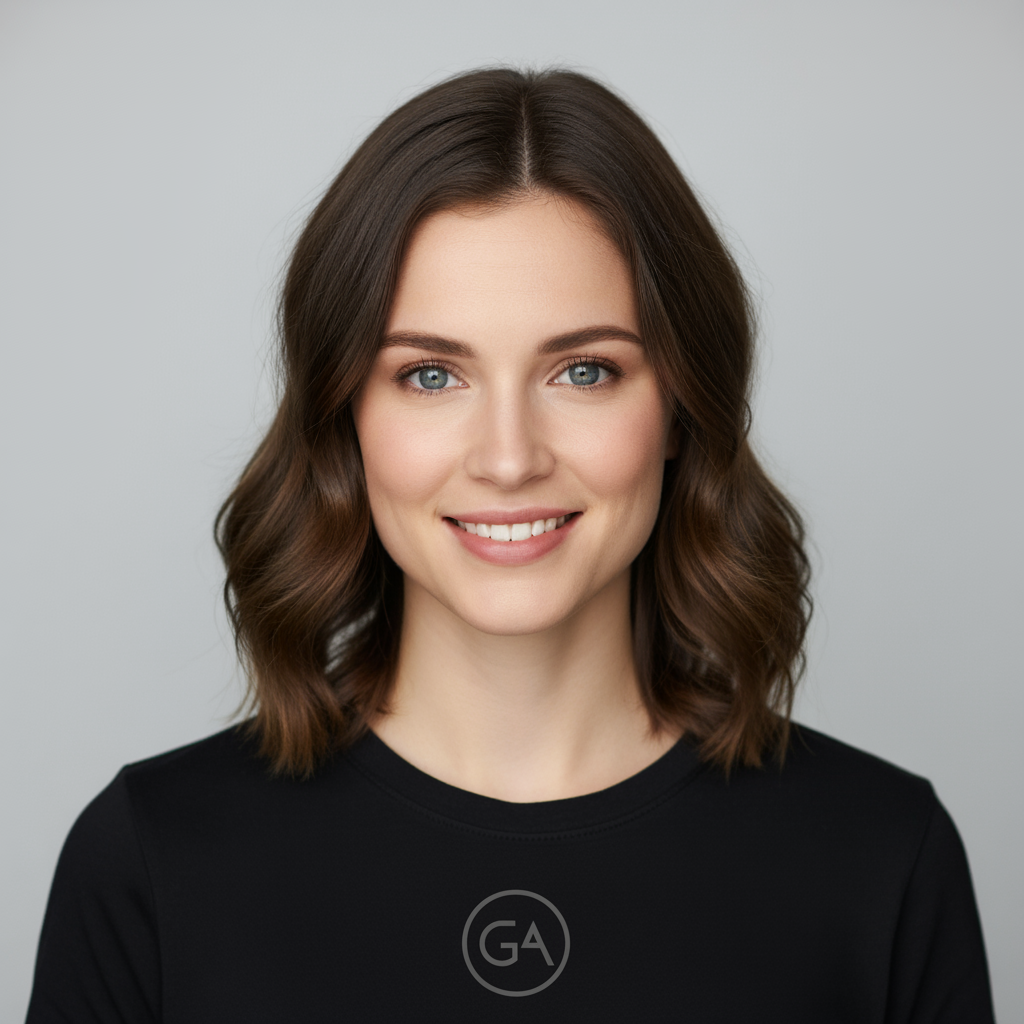
Modified: High fidelity composite